
How to Organize Summer Camp Schedules for Multiple Kids
Updated April 2026
A practical guide to keeping every camp date, pickup, and deadline straight, even when your kids are at different camps with different schedules.
Why summer camp schedule chaos happens
Summer camp information arrives from multiple directions: emails from camp directors, flyers in your kid's backpack, texts from other parents, registration confirmations buried in your inbox. When you have more than one child, each with their own camps, start dates, and logistics, the information stays scattered.
Most parents default to sticky notes, mental math, or a spreadsheet they forget to update. The result: missed registration deadlines, double-booked weeks, and morning-of scrambles over who gets picked up where.
A simple system to organize multiple camp schedules
You don't need a complex tool. You need a single place where all camp details live, organized by child and by week. Here's how to build that in four steps.
Step 1: Gather all camp info in one pass
Go through your email, texts, and any physical paperwork. For each camp, write down:
- Camp name and which child is attending
- Start and end dates
- Daily hours (drop-off and pickup times)
- Location and any parking/gate instructions
- Registration deadline (if not yet registered)
- Special packing requirements
Step 2: Create a master view
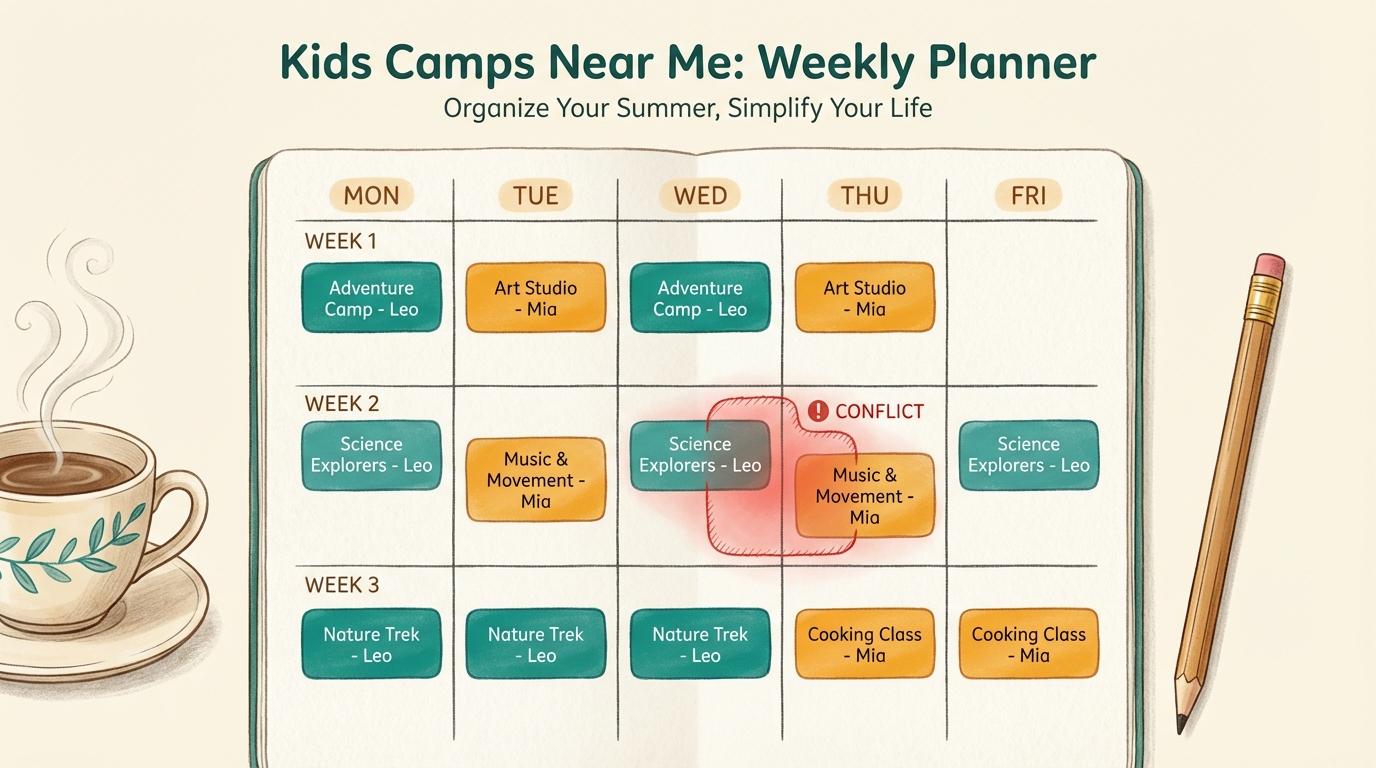
Put all camp details into one view so you can see the entire summer at a glance. Our free Camp Planner does exactly this. Enter your kids and their camps, and it generates a weekly view with conflict detection. No account needed.
Look for problems: overlapping camp weeks, days with no coverage, or conflicting pickup times. Better to catch these now than the week before.
Step 3: Set reminders for what matters
Registration deadlines, first day of each camp, supply shopping trips, and carpool coordination all benefit from advance notice. Set reminders for:
- One week before each camp starts
- The day before (packing night)
- Registration deadlines (so you don't miss early-bird pricing)
- Any required form submission dates
Step 4: Share with your family
The schedule only works if everyone who needs it can see it. Share your camp plan with your co-parent, grandparents, babysitter, or anyone else involved in drop-offs and pickups. A shared family calendar is the simplest way to do this. Everyone sees the same schedule, and changes update everywhere.
Common mistakes to avoid
- Not checking for overlap: Two camps in the same week sounds fine until you realize pickup times conflict.
- Keeping details in your head: You'll remember most of it, except the one thing that causes a problem.
- Waiting until the week before: Packing lists, forms, and logistics are much easier with a week of lead time.
- Not sharing the plan: If only one parent knows the schedule, every coordination question creates a bottleneck.
Get started in 5 minutes
The Camp Planner walks you through this process step by step. Add your kids, enter their camp details, and get a clean weekly plan you can print, email, or download as a calendar file. It's free and takes about 5 minutes.